An open-ended habit can feel vague. A season gives it a frame: a dated challenge of 30, 66 or 90 days, with a recap of what you built at the end.
Start a season
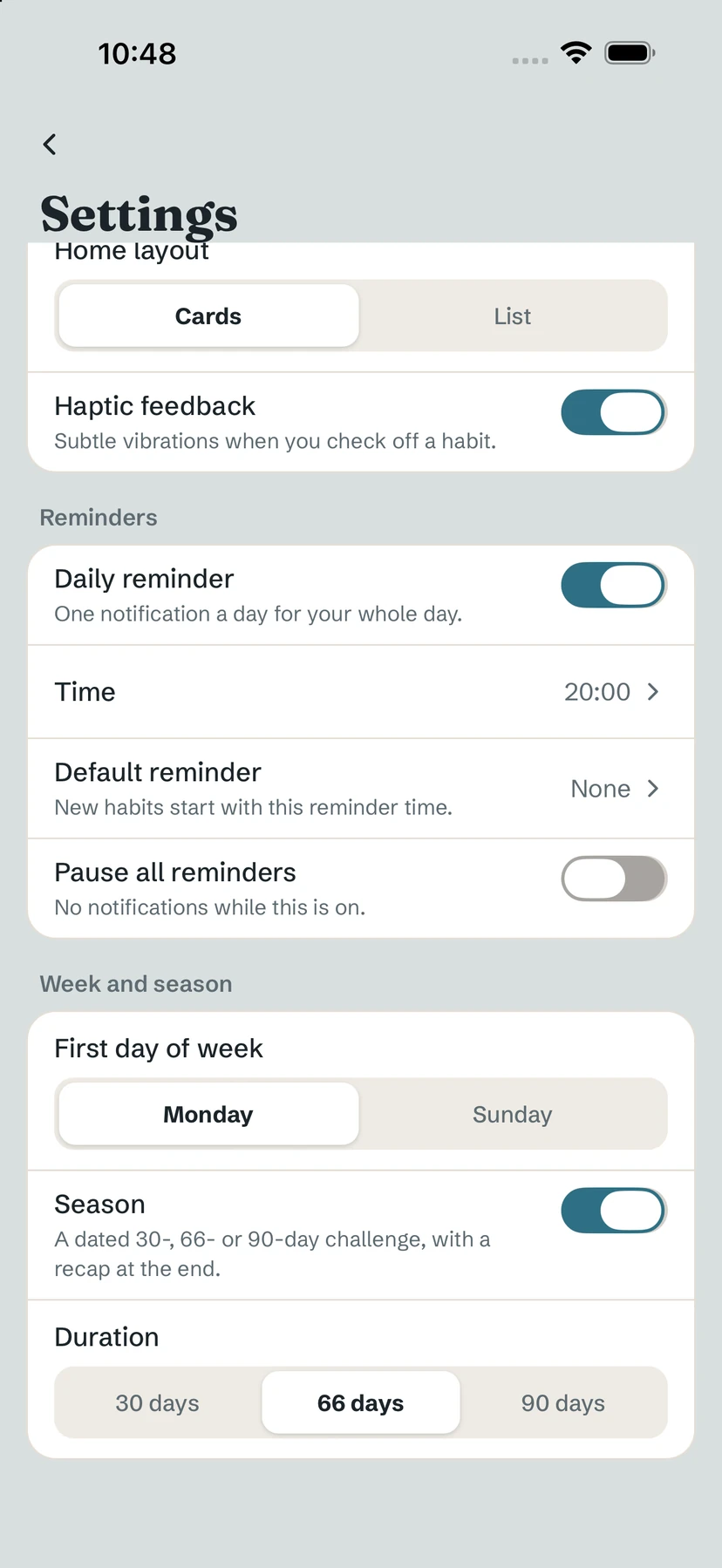
- Tap your initial (top right), then All settings.
- Under Week and season, turn on Season — "A dated 30-, 66- or 90-day challenge, with a recap at the end."
- Choose the Duration: 30 days, 66 days or 90 days.
On the Build tab, a progress line shows where you are — for example "Season · day 43 / 66" — and how many days are left.
Why 66 days?
66 days is the median time to automaticity found in a well-known study on habit formation — a midpoint, not a promise. Some habits settle in a few weeks, others take much longer. Read more in how long it really takes to form a habit.
The season recap
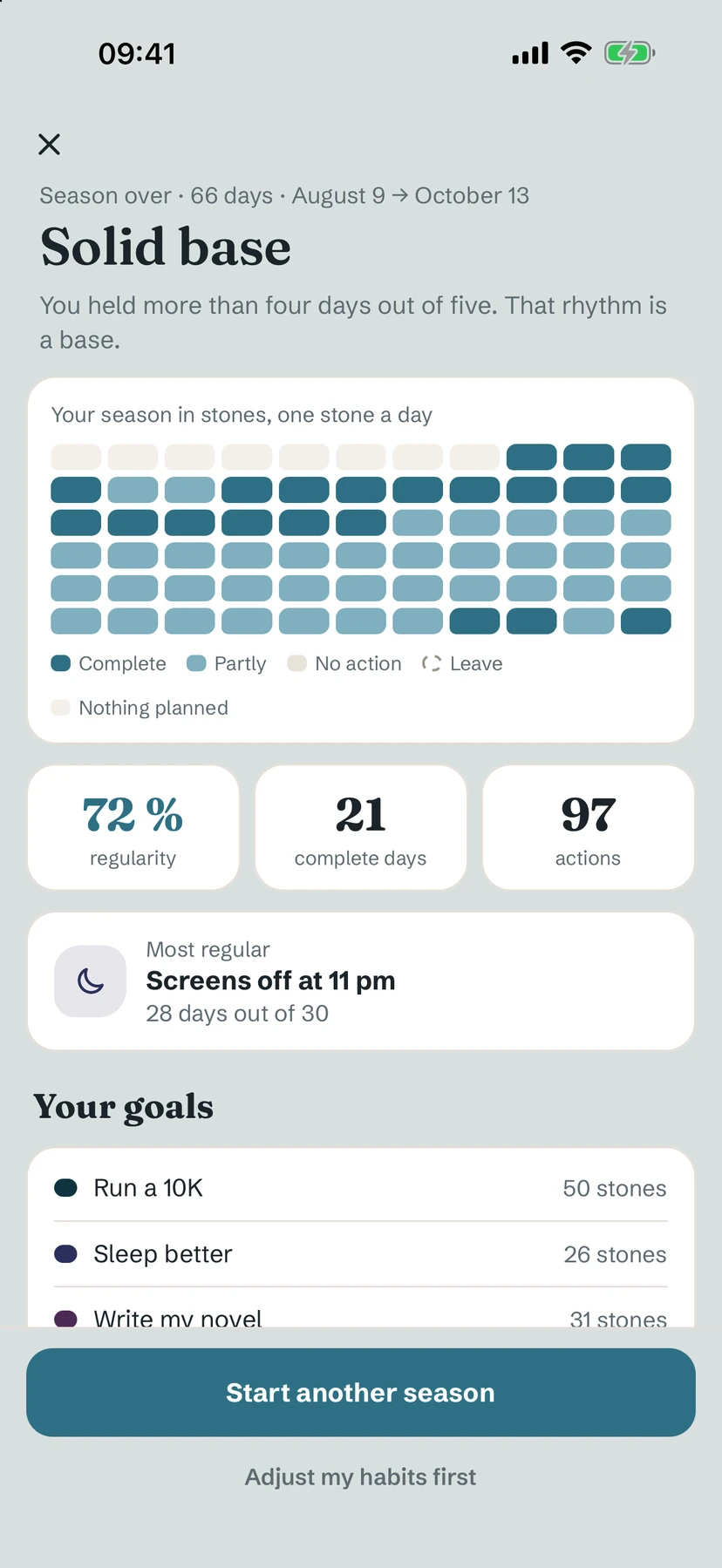
When the season ends, a recap opens once. It shows Your season in stones, one stone a day (complete days, partial days, days without action, leave), your regularity, your complete days and actions, your Most regular habit, and how each goal and habit did.
Two choices: Start another season or Adjust my habits first. Closing the recap has no consequence: the season simply waits, finished, until you decide. No new season starts on its own.
Tip. The day before the recap opens, one local notification lets you know: "Your 66-day season is over. Your recap is waiting."
Free / Pro. Seasons and their recap are free.
Common questions
How long is a season?
30, 66 or 90 days — you choose the duration in Settings, under Week and season.
What happens when a season ends?
A recap opens once. You can start another season, adjust your habits first, or simply close it — nothing restarts on its own.
Does 66 days guarantee a habit?
No. It is the median found in research, with a very wide range from person to person. Yolmira never presents it as a promise.
Still stuck? Write to us at yolmira-help@outlook.com — a person reads every message.