Once a week, Yolmira takes a short look back with you. No ranking, no red: just what went well.
What the recap shows
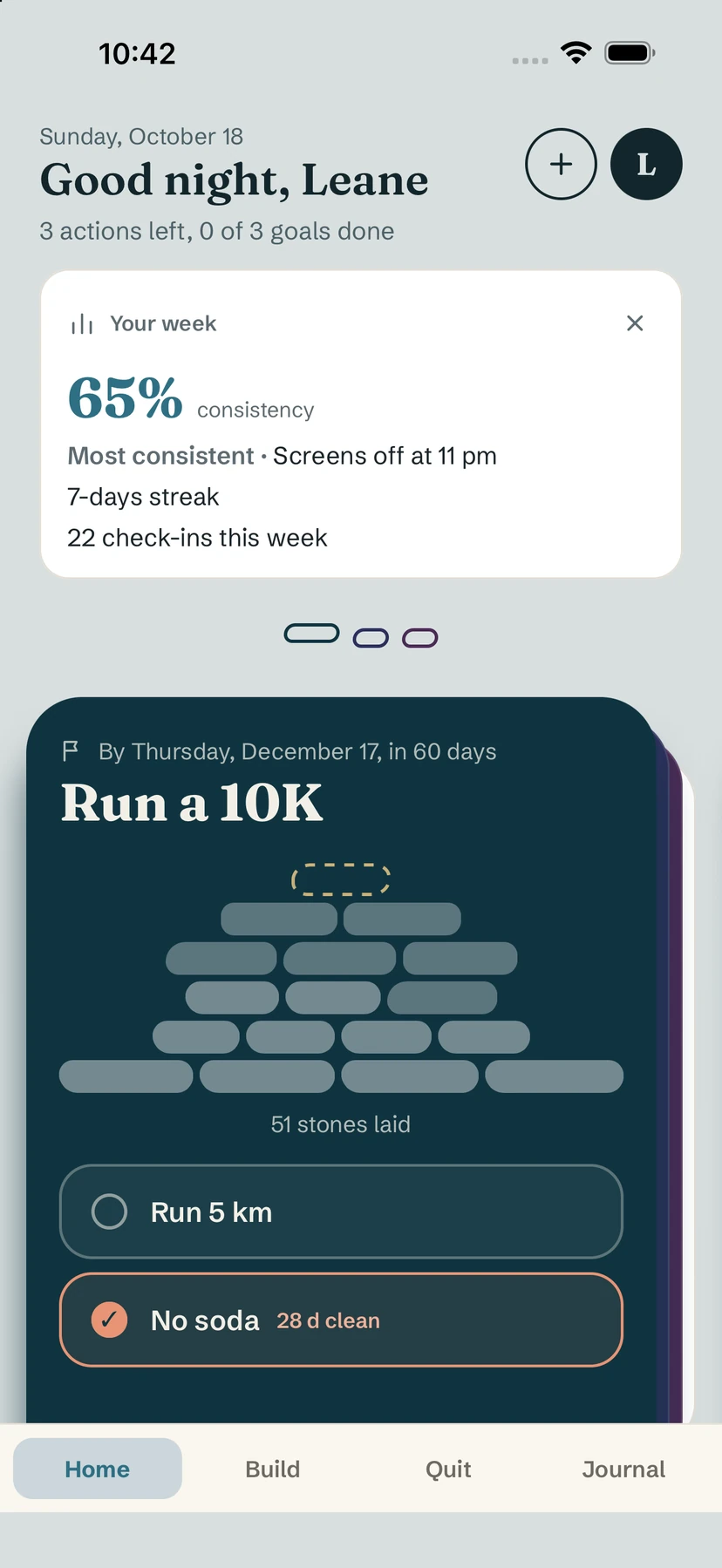
On Sunday (and still on Monday), a Your week card appears at the top of Home. It shows:
- your consistency for the week, as a percentage;
- your Most consistent habit;
- your best current streak;
- how many check-ins you made this week.
Read it, then dismiss it
Tap the cross (Dismiss recap) when you're done. The card won't come back until next week.
The Sunday notification
Yolmira can also send a gentle Sunday notification, Your week, inviting you to look back on the path you walked. Like every Yolmira notification, it is scheduled on your phone — nothing goes through a server.
Tip. Sunday evening is a good moment to adjust one thing for next week: lighten a habit that kept slipping, or add an anchor to the one you forget. See habit stacking.
Free / Pro. The weekly recap is free.
Common questions
When does the weekly recap appear?
On Sunday, and it stays on Monday until you dismiss it.
Can I turn it off?
You can dismiss the card each week with the cross. It never blocks the app.
Still stuck? Write to us at yolmira-help@outlook.com — a person reads every message.