Some days you can't do everything, and some weeks you shouldn't try. Yolmira lets you say so: easing off is not giving up, and it never costs you a streak or a stone.
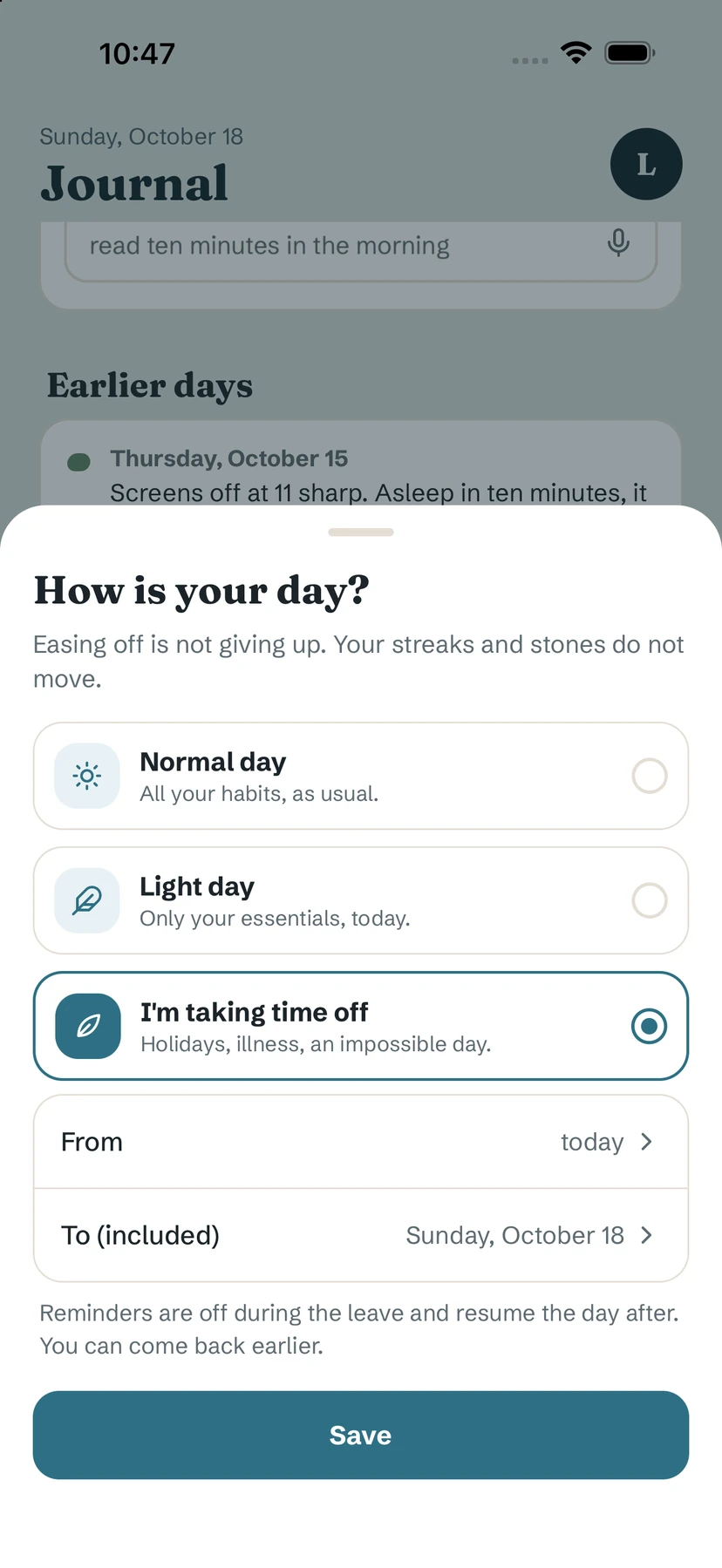
Open "Ease my day"
- On Home, tap Busy day? Ease my day under your goal cards — or tap your initial (top right) and choose Ease my day.
- The sheet How is your day? opens with three choices: Normal day, Light day and I'm taking time off.
- Pick one and tap Save.
Light day: only your essentials
On a light day, only the habits you marked Essential are due. The others are set aside until tomorrow. Today's stone is laid as soon as your essentials are done, and your streaks carry on.
To choose your essentials, open a habit's editor and turn on Essential ("Stays even on light days"). If none is marked yet, the sheet offers Choose my essentials.
Tip. Mark as essential the one or two habits you want to keep even on a terrible day — often the smallest ones. A light day with one tiny action keeps the thread.
Time off: holidays, illness, an impossible day
- Choose I'm taking time off.
- Set From and To (included). A leave lasts up to 30 days.
- Tap Save. Home shows a card until the date, and you can tap Come back earlier at any time.
Reminders are off during the leave and resume the day after.
What it changes — and what it doesn't
- A light day or a leave never breaks a streak, never takes a stone away and never counts as missed.
- If you still tick a habit on an eased day, it counts normally.
- Forgot to ease a day? You can ease a past day for the last 7 days.
Free / Pro. Light days and leave are free, without limit.
Common questions
Does a light day break my streak?
No. A light day or a leave never breaks a streak, never removes a stone and never counts as a missed day.
How long can I take time off?
A single leave lasts up to 30 days. You can come back earlier at any time.
I forgot to ease yesterday. Can I fix it?
Yes, you can ease a past day for the last 7 days.
Still stuck? Write to us at yolmira-help@outlook.com — a person reads every message.