Yolmira's reminders are gentle and few. They are scheduled on your phone itself: no server is involved.
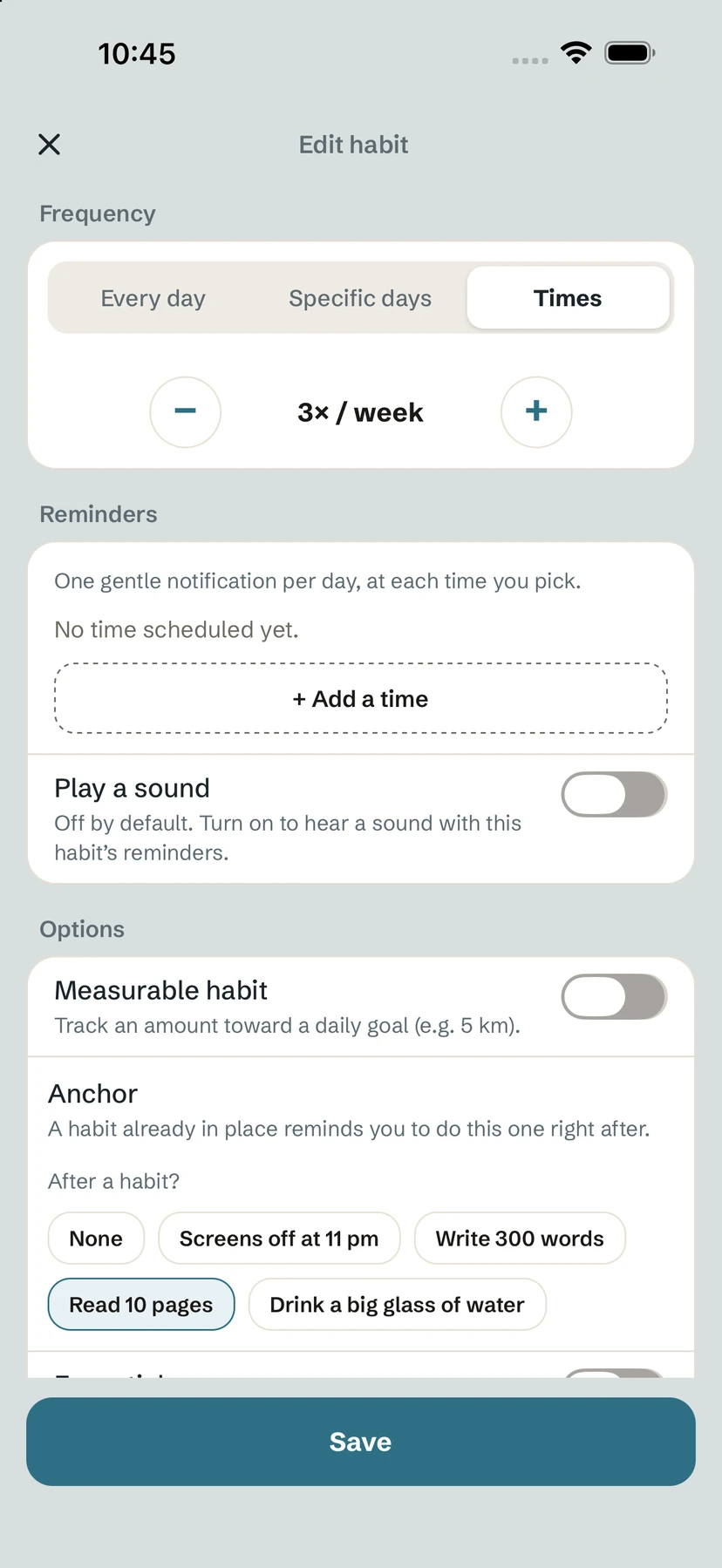
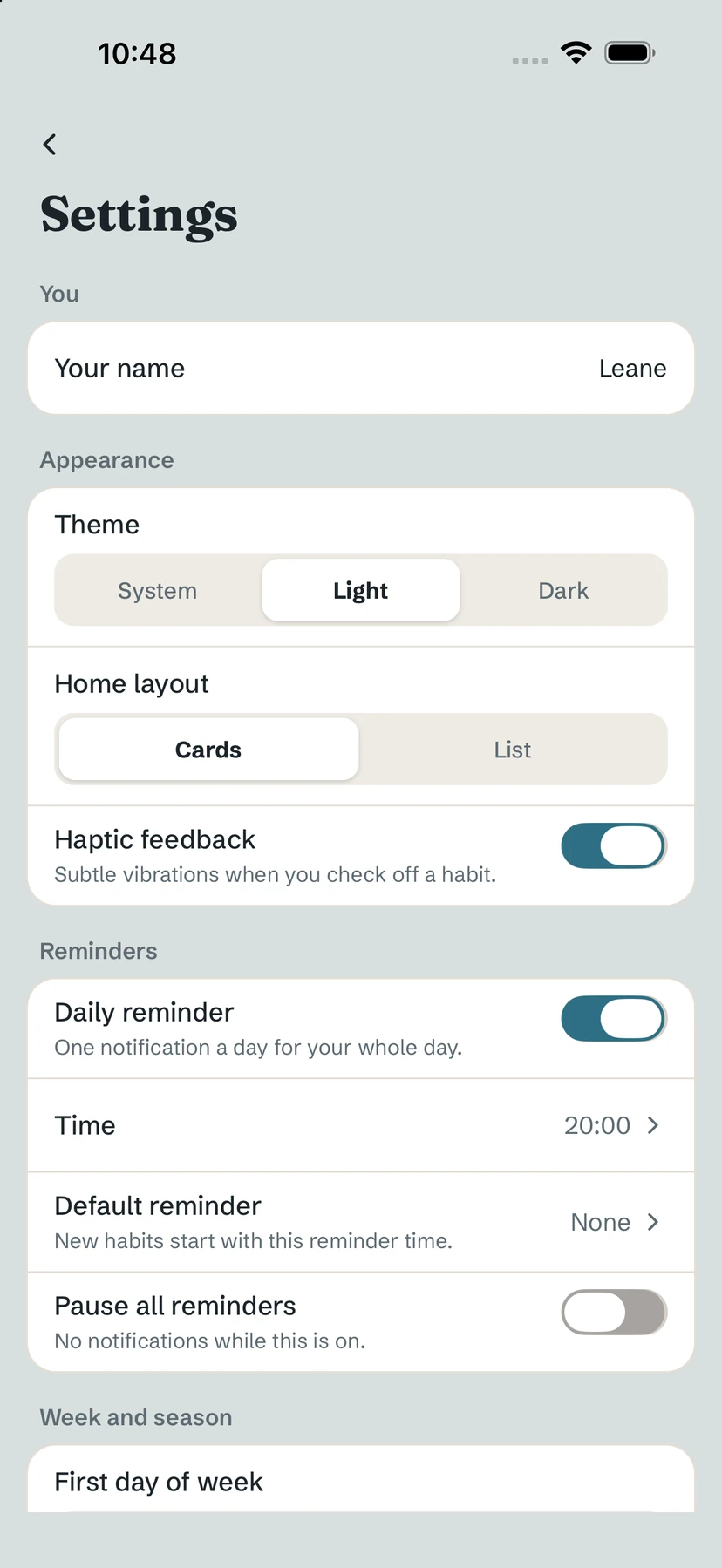
Reminders for one habit
- Open the habit's editor and scroll to Reminders.
- Tap + Add a time and pick a time. Add several if you like: one gentle notification per day, at each time you pick.
- Turn on Play a sound if you want one. It is off by default.
The daily reminder
A single Daily reminder is on by default at 20:00: one notification for your whole day, not one per habit. Change its Time or turn it off in Settings. You can also set a Default reminder time that new habits start with.
The streak saver
In the evening, if a build habit with a streak of 3 days or more is still unchecked, Yolmira can send one encouraging nudge (Keep it going). Never a guilt trip.
Pause everything
Turn on Pause all reminders in Settings for complete quiet. When you take leave with Ease my day, reminders stop during the leave and resume the day after.
Tip. If nothing arrives, check that notifications are allowed for Yolmira in your phone's settings.
Common questions
How do I stop the evening notification?
Turn off Daily reminder in Settings, or change its Time. Pause all reminders silences everything.
Can a habit have several reminders?
Yes. Add as many times as you like with + Add a time in the habit's editor.
Do reminders need an internet connection?
No. They are scheduled locally on your phone.
Still stuck? Write to us at yolmira-help@outlook.com — a person reads every message.