Everything personal lives in one place: Your space, behind your initial at the top right of Home, Build, Quit and Journal.
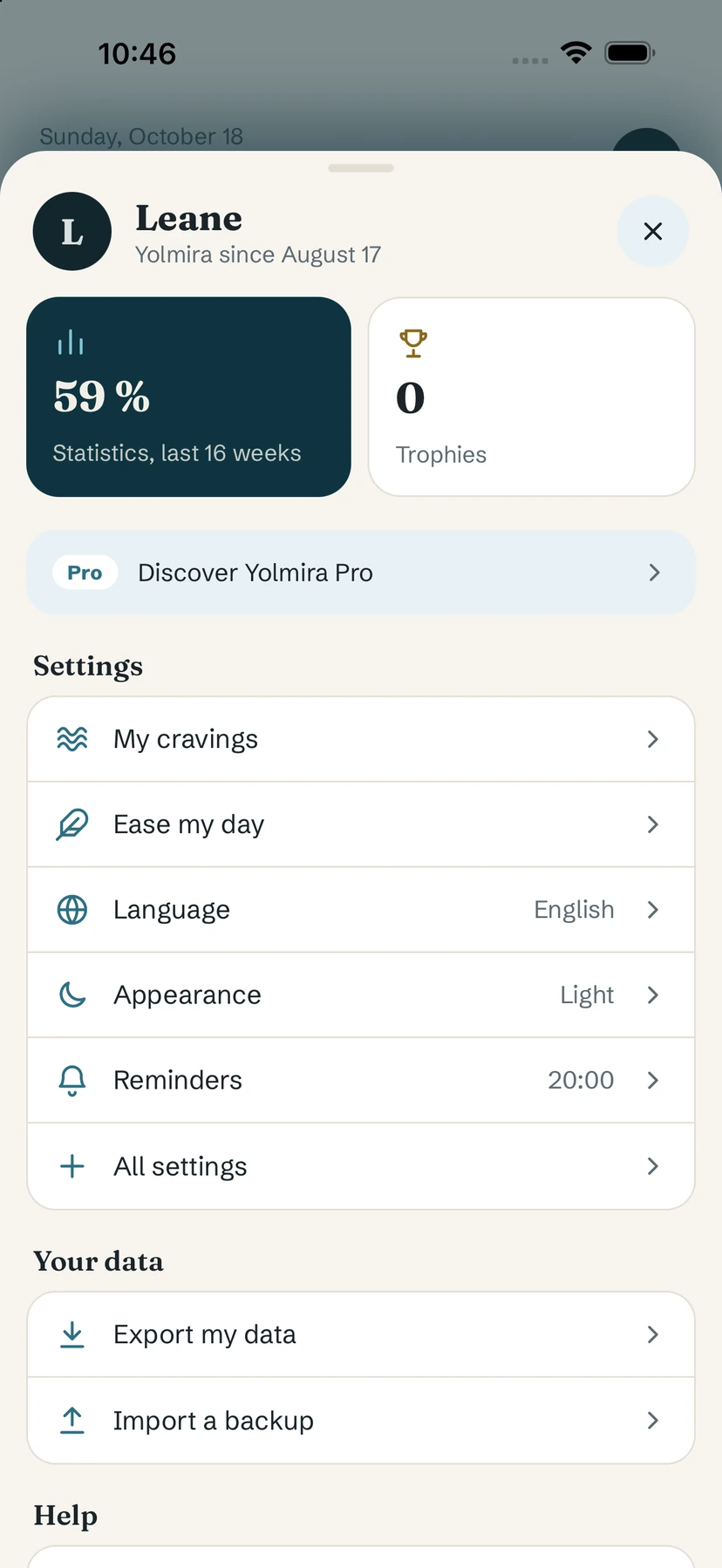
Your space
- Statistics and Trophies — see History and Achievements.
- Discover Yolmira Pro — see Yolmira Pro.
- Settings shortcuts: My cravings, Ease my day, Language, Appearance, Reminders and All settings.
- Your data: Export my data and Import a backup — see export and import.
- Help: Getting started (the in-app questions and answers), Take stock and Contact us.
- Support Yolmira: Rate Yolmira and Share Yolmira.
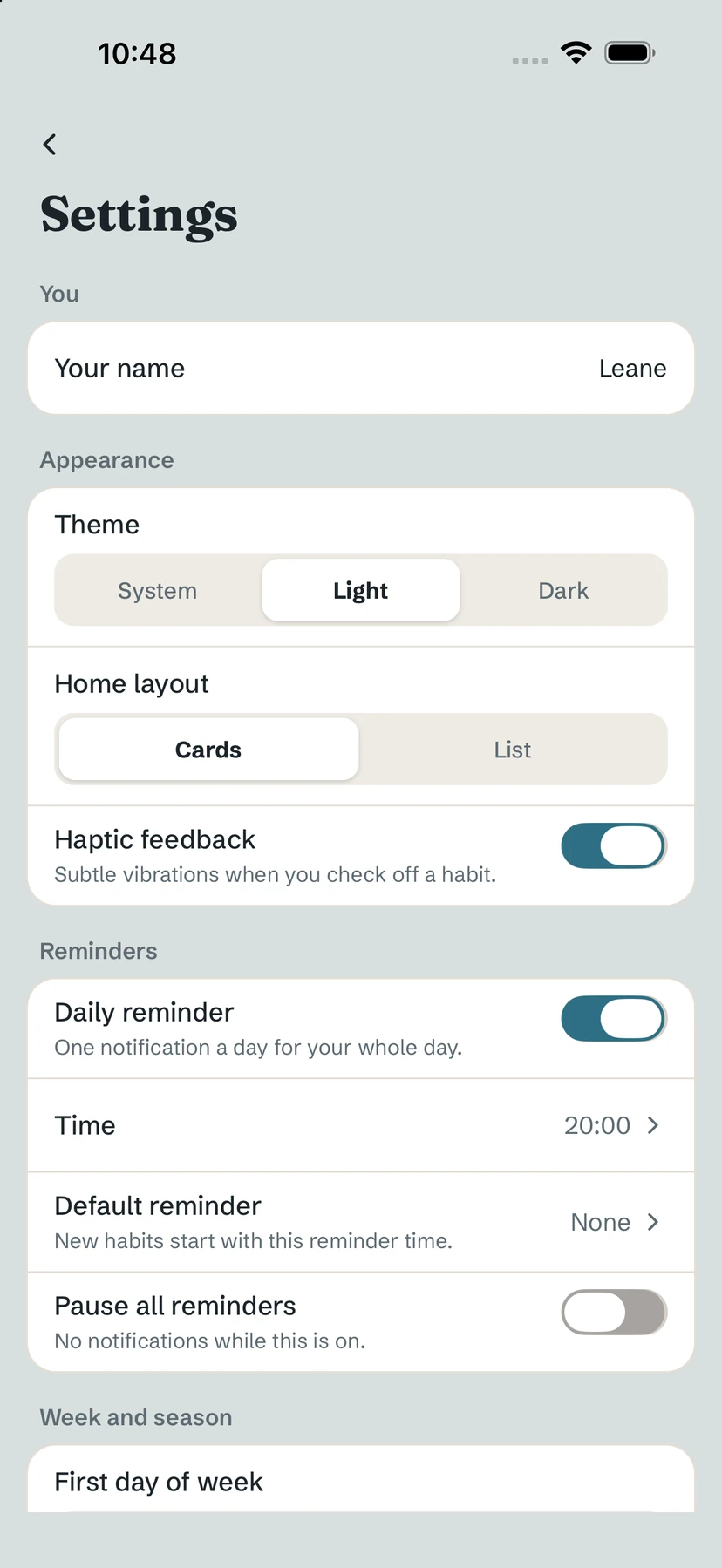
All settings
- Your name — optional, used only in the greeting; it stays on your phone.
- Theme: System, Light or Dark.
- Home layout: Cards (one big card per goal, swipe between them) or List.
- Haptic feedback — subtle vibrations when you check off a habit.
- Reminders: daily reminder and its time, default reminder for new habits, pause all reminders — see reminders.
- Week and season: First day of week (Monday or Sunday) and Season — see seasons.
- On Android only: Home-screen widget with Add widget — see widgets.
Change the language
Yolmira follows your phone's language automatically. To choose another, tap your initial, then Language, and pick from the list. Right-to-left languages are supported; switching to or from one restarts the app to change the reading direction.
Common questions
How do I turn on dark mode?
Tap your initial, then All settings, and choose Dark under Theme — or System to follow your phone.
How do I change the app language?
Tap your initial, then Language, and pick one. By default Yolmira follows your phone's language.
Can I see my goals as a list?
Yes. In All settings, set Home layout to List instead of Cards.
Still stuck? Write to us at yolmira-help@outlook.com — a person reads every message.