The Journal tab is a quiet place to close the day. Two lines are enough — and nothing in it counts against you.
Your day
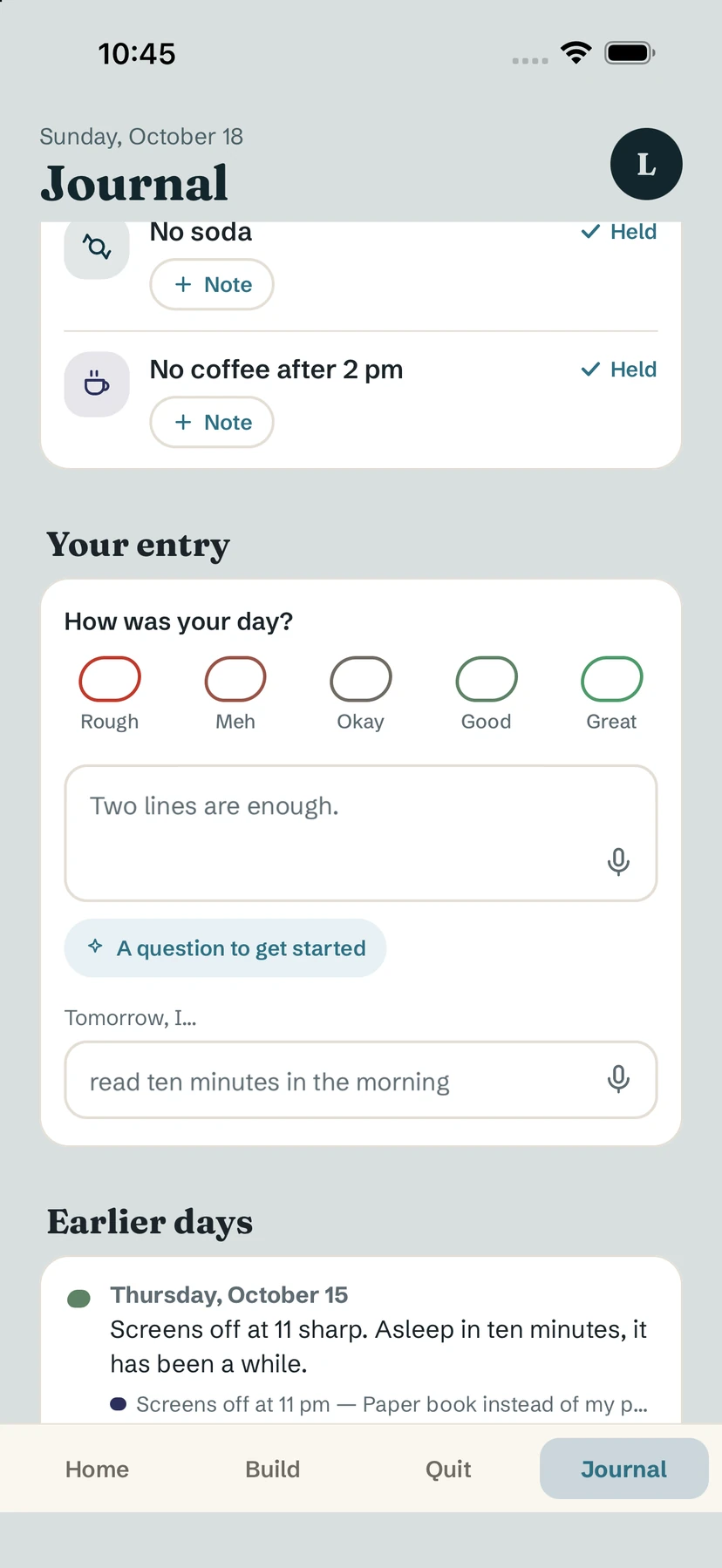
At the top, Your day lists today's habits with their state — To do, Done, Held or Relapse — and a + Note button to add a line about each one. See habit notes.
Write your entry
- Under Your entry, answer How was your day?: Rough, Meh, Okay, Good or Great. The mood is optional.
- Write a few words in the text box ("Two lines are enough.").
- Stuck? Tap A question to get started for a prompt such as "What went well today?".
- Fill in Tomorrow, I… with one small intention.
The next day, your intention comes back on Home: "Yesterday, you told yourself:" — a gentle reminder in your own words.
Tip. Prefer to speak? Tap the microphone in a text field to Dictate. Yolmira keeps no audio.
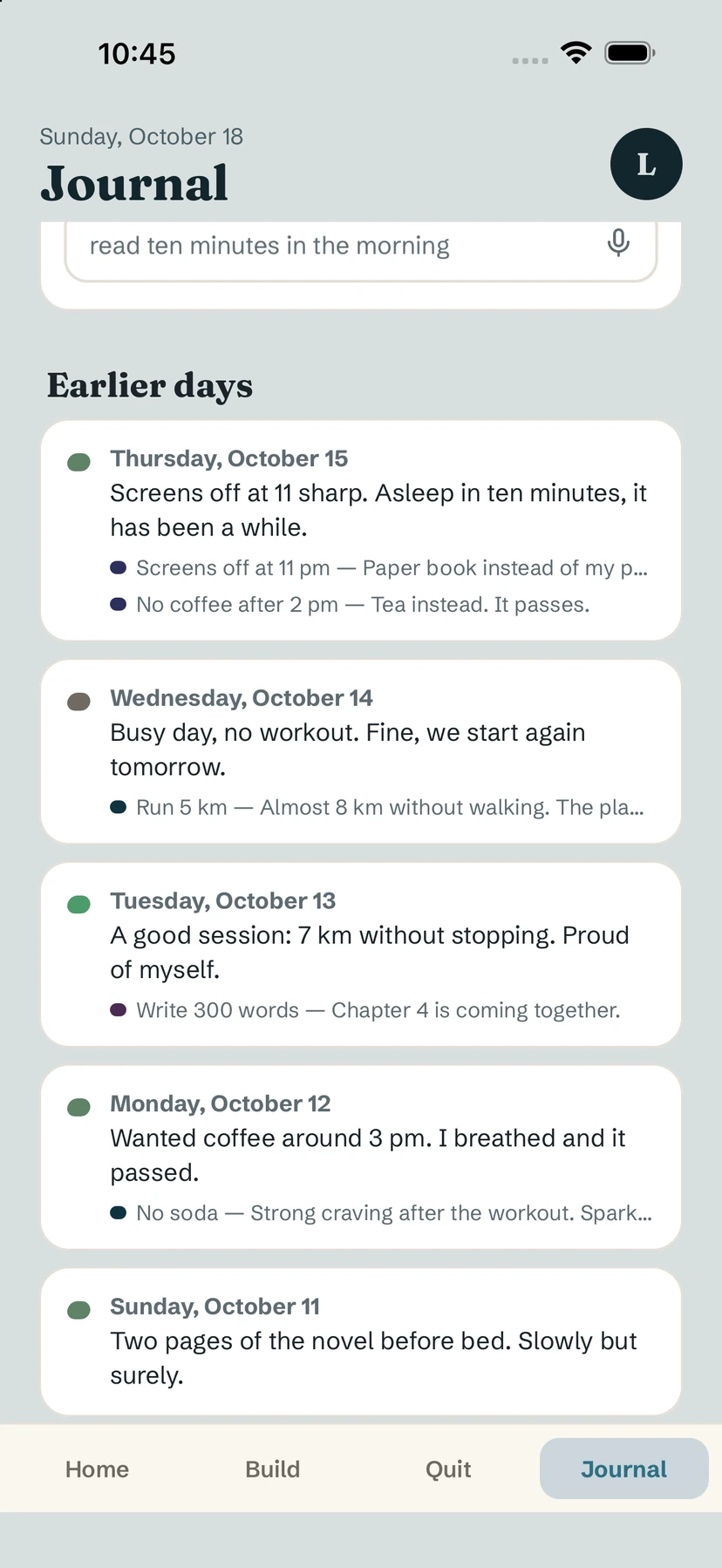
Earlier days
Scroll down to Earlier days: a timeline of your past entries with their mood and the habit notes of each day. Use the goal chips at the top to show only the notes linked to one goal.
No streak, no pressure
The journal has no streak and no counter of missed days. Write when it helps; skip when it doesn't. What you write stays on your phone.
Free / Pro. Writing and reading your journal are free, and always will be.
Common questions
Do I have to write every day?
No. The journal has no streak and no missed-day counter. Write only when it helps.
Can I dictate instead of typing?
Yes. Tap the microphone in the text field. Yolmira keeps no audio.
Is the journal private?
Yes. It stays on your phone, with no account and nothing sent to a server. If you dictate, your voice is turned into text on your phone, offline; Yolmira keeps no audio.
Still stuck? Write to us at yolmira-help@outlook.com — a person reads every message.