Yolmira starts with what you want, a goal, and then the small habits that get you there. Everything stays on your phone: there is no account to create.
The first launch
Three short slides explain the idea: Start with a goal, One stone a day and Free, and yours. Then Yolmira helps you set things up in two steps:
- What's your first goal? Tap one of the ideas (Health, Fitness, Pleasure, Family & friends, Finances) or write your own.
- A first habit to get there: something small, to build or to quit. It will count toward your goal.
- Tap Start. Your goal appears on the Home screen.
Every step can be skipped with Skip or Later, and you can change everything afterwards.
The four tabs
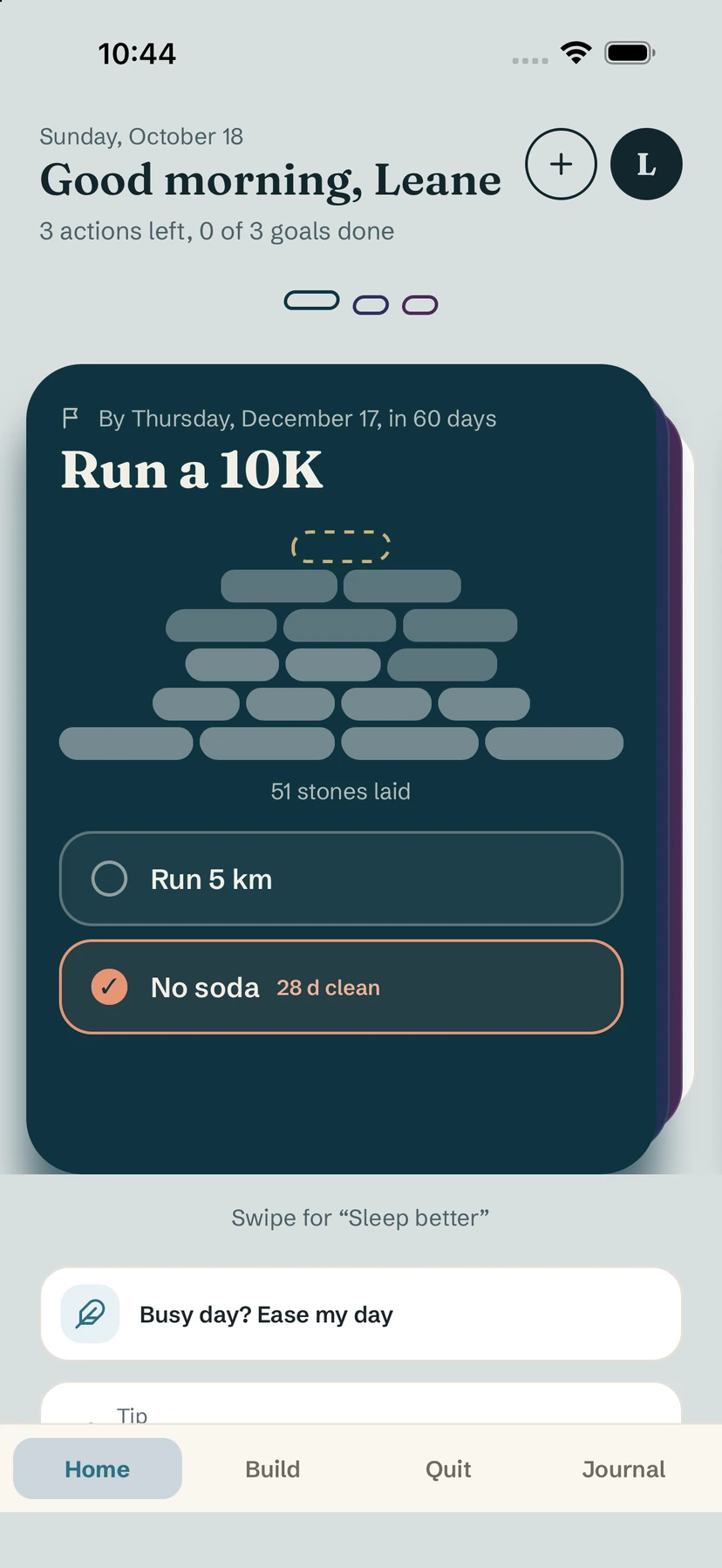
- Home: one card per goal, with its cairn of stones and today's habits. Tick a habit right from the card.
- Build: the habits you want to keep, with their streaks and this week's days.
- Quit: the habits you want to leave, counted in days clean, plus the I have a craving button.
- Journal: a short entry for your day and your notes per habit.
Your space
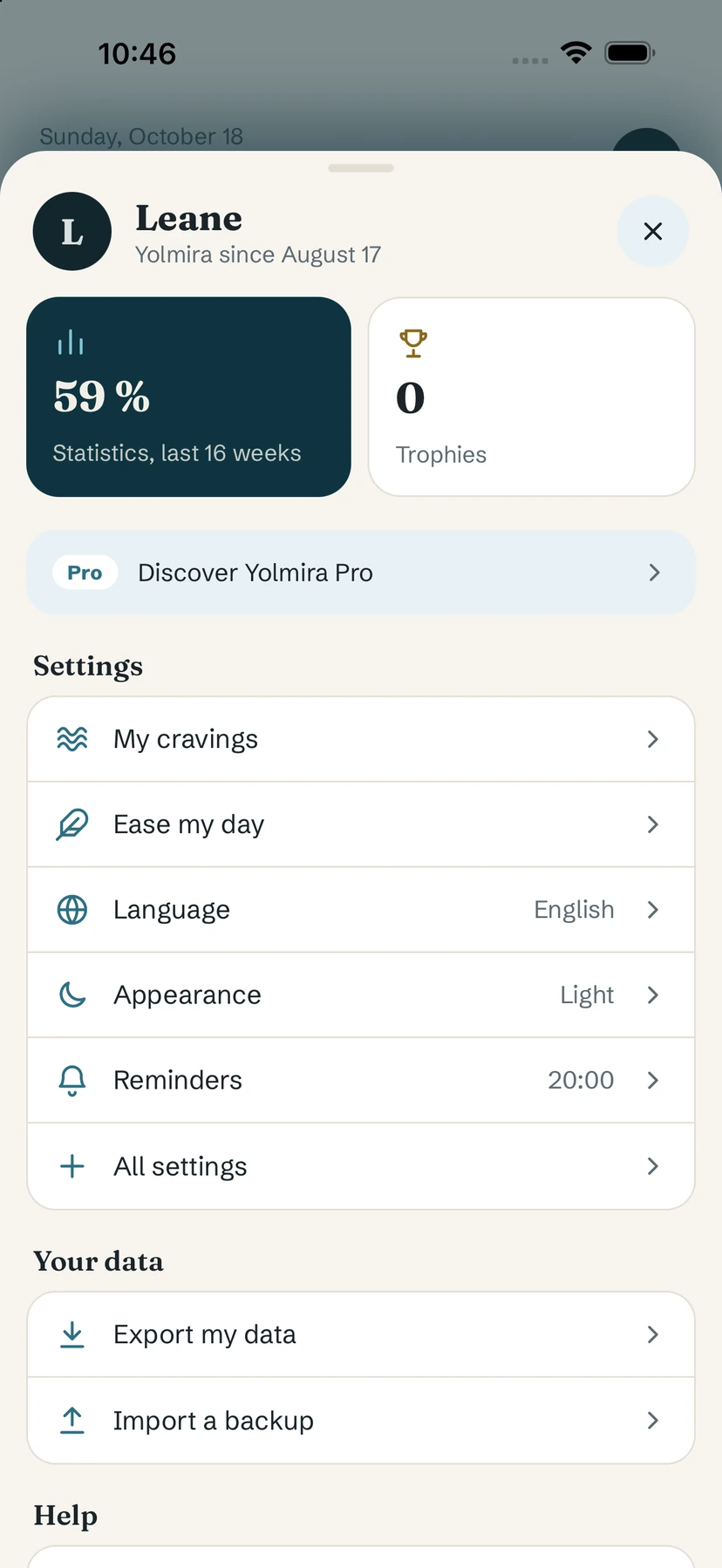
The round button with your initial, top right, opens Your space: statistics, trophies, Yolmira Pro, settings (cravings, ease my day, language, appearance, reminders), your data (export and import) and help.
Help inside the app
In Your space, Getting started opens short answers to the most common questions. You can also replay the introduction with Replay the introduction.
Tip. Start with one goal and one or two habits. You can add more once the first ones feel easy. Our guide How to reach your goals explains why.
Common questions
Do I need an account to use Yolmira?
No. There is nothing to sign up for. Everything you enter stays on your phone.
Can I skip the introduction?
Yes. Every step can be skipped, and you can replay the introduction later from the help in Your space.
Where are the settings?
Tap your initial at the top right to open Your space: settings, reminders, language, appearance and your data are there.
Still stuck? Write to us at yolmira-help@outlook.com — a person reads every message.