A goal is the direction you give yourself, for example "Run a 10K". Your habits are the steps toward it: each day you do what the goal needs, a stone is laid on its cairn.
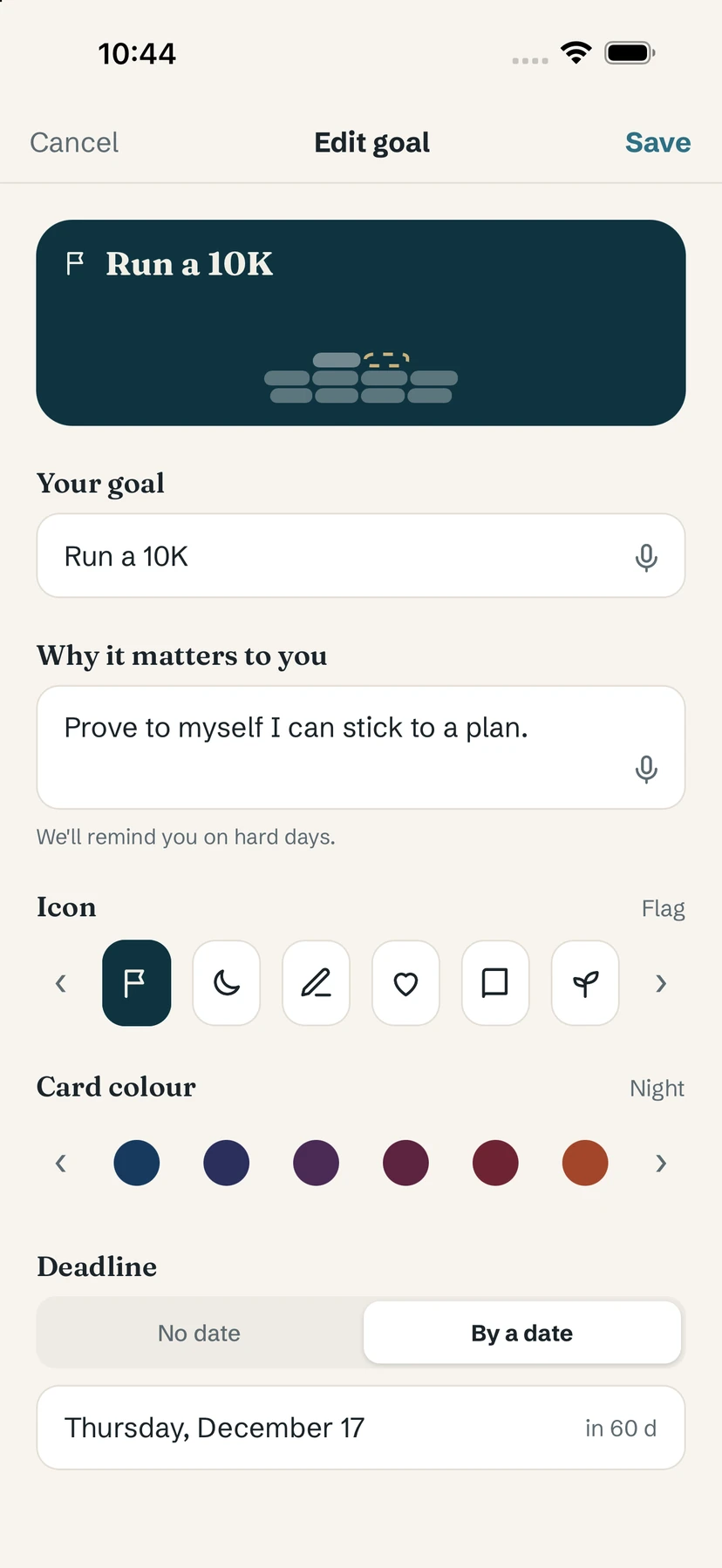
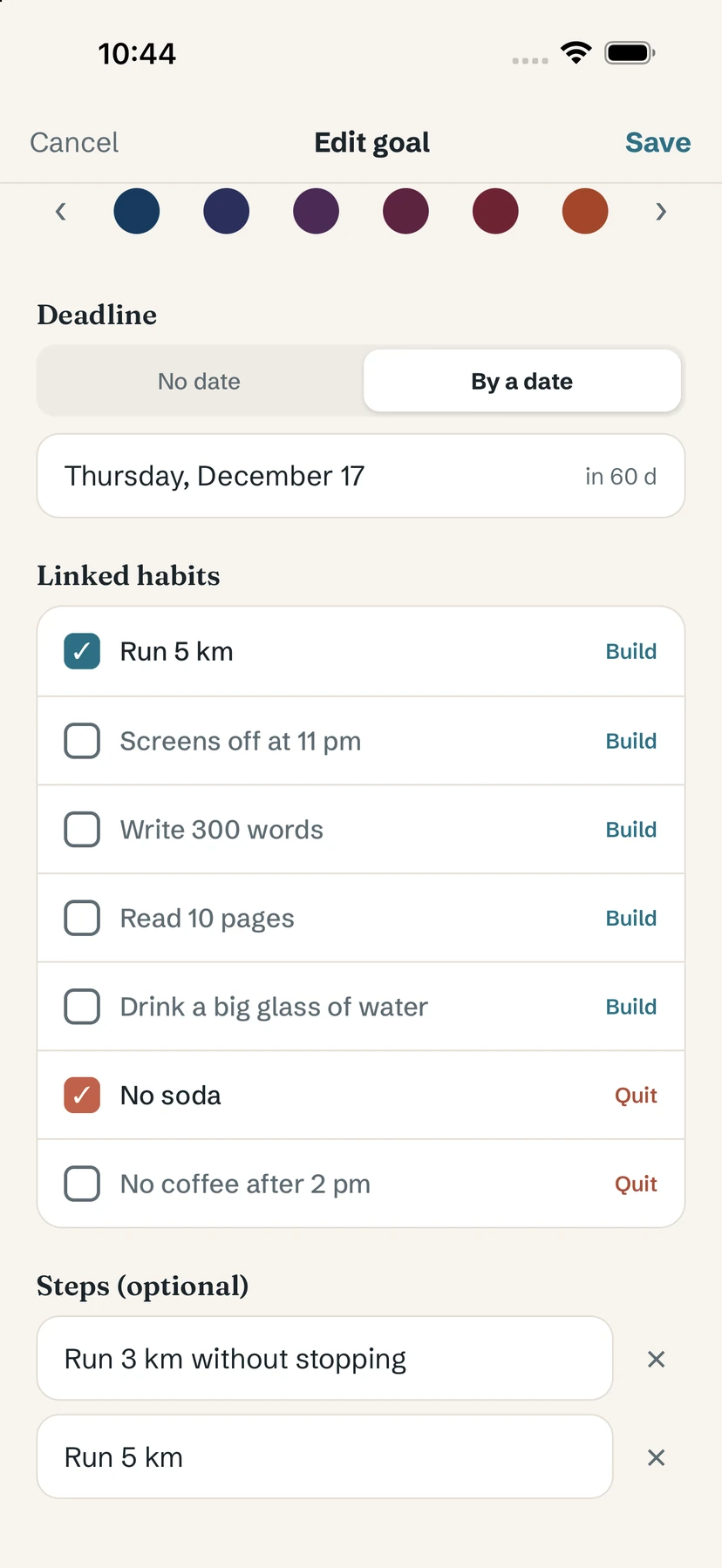
Create a goal
- On Home, tap the + button at the top (or Create my first goal if you have none yet).
- In New goal, fill in Your goal.
- Add Why it matters to you. Yolmira reminds you of it on hard days.
- Choose an Icon and a Card colour.
- Under Deadline, keep No date or pick By a date.
- Tick the habits that serve this goal under Linked habits, and add Steps (optional) with + Add a step.
Link habits
A habit serves one goal at a time. You can link it in three ways:
- in the goal editor, under Linked habits (build and quit habits are both listed);
- in a habit's editor, under Goal;
- from a goal card, with Add a habit.
Habits without a goal are grouped on a last card called Other habits, with a Link to a goal shortcut.
Edit or delete a goal
Open the goal from its card, then tap the pencil at the top right to reach Edit goal. At the bottom, Delete this goal removes the goal only: your habits are kept, they just lose the link.
Free / Pro. You can keep up to 3 active goals for free. Yolmira Pro, a one-time purchase, makes them unlimited.
Tip. One to three habits per goal is plenty. See how to turn a goal into daily habits.
Common questions
Can a habit belong to two goals?
No. A habit serves one goal at a time. You can move it to another goal from its editor.
What happens to my habits if I delete a goal?
They are kept. They just lose the link and appear on the Other habits card.
How many goals can I have for free?
Up to 3 active goals. Yolmira Pro, a one-time purchase, makes them unlimited.
Still stuck? Write to us at yolmira-help@outlook.com — a person reads every message.